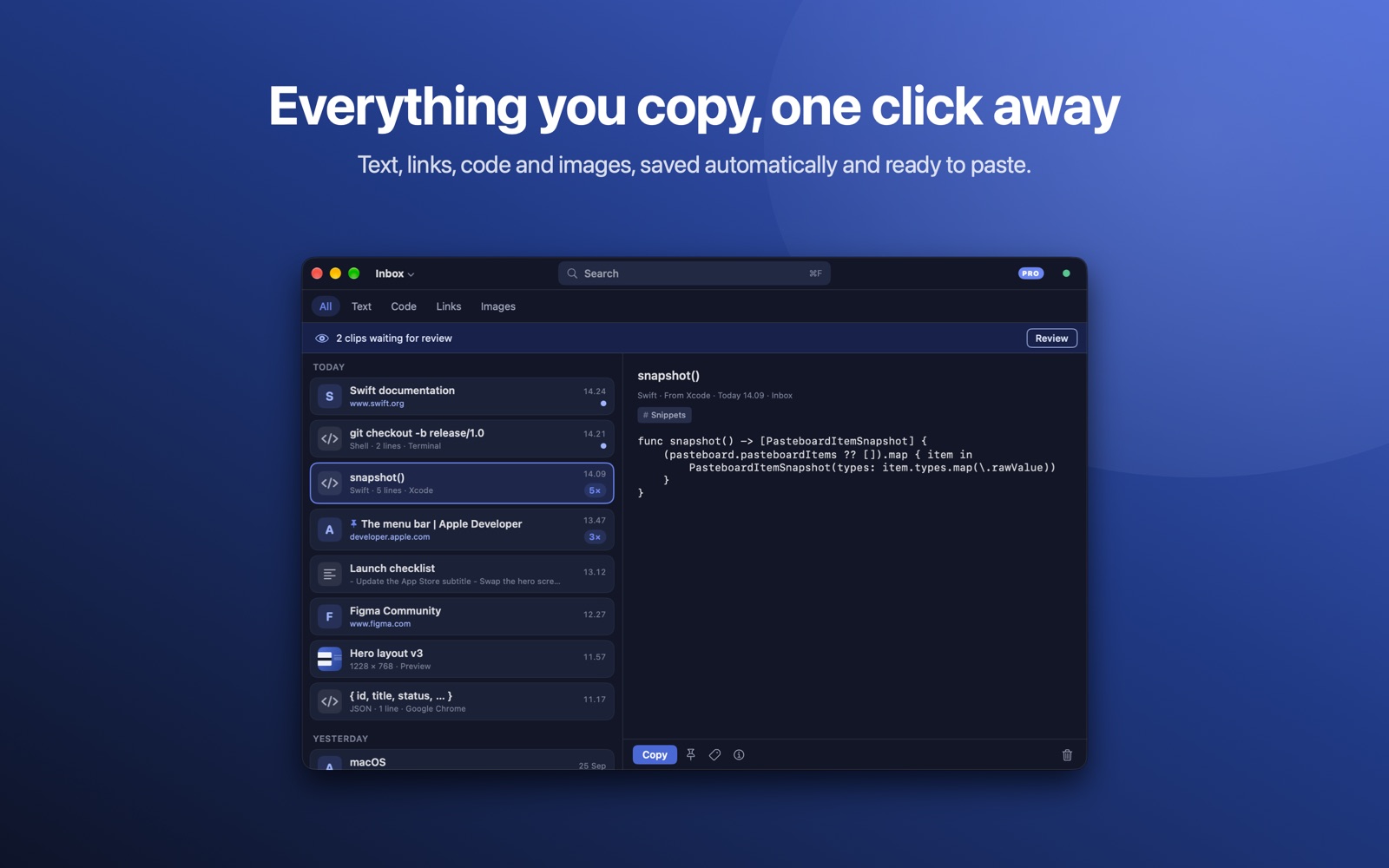
Paste Ninja saves the text, links, code and images you copy on your Mac, so you can find them again and paste them anywhere.
 Free to use · macOS 13 Ventura or later
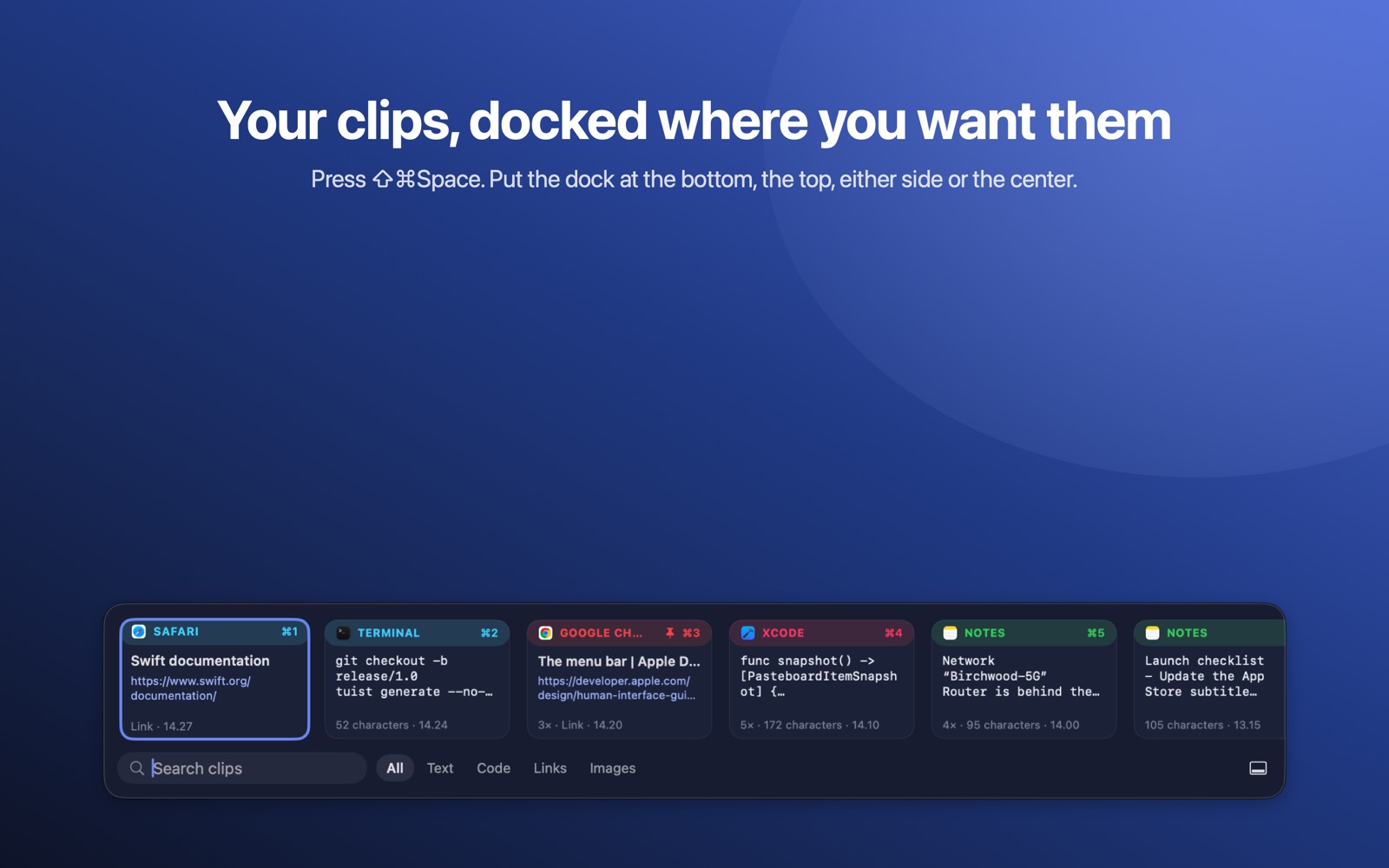
Press ⇧⌘Space for a slim strip of clips at the bottom, top, sides or center of the screen, or right out of the MacBook notch.
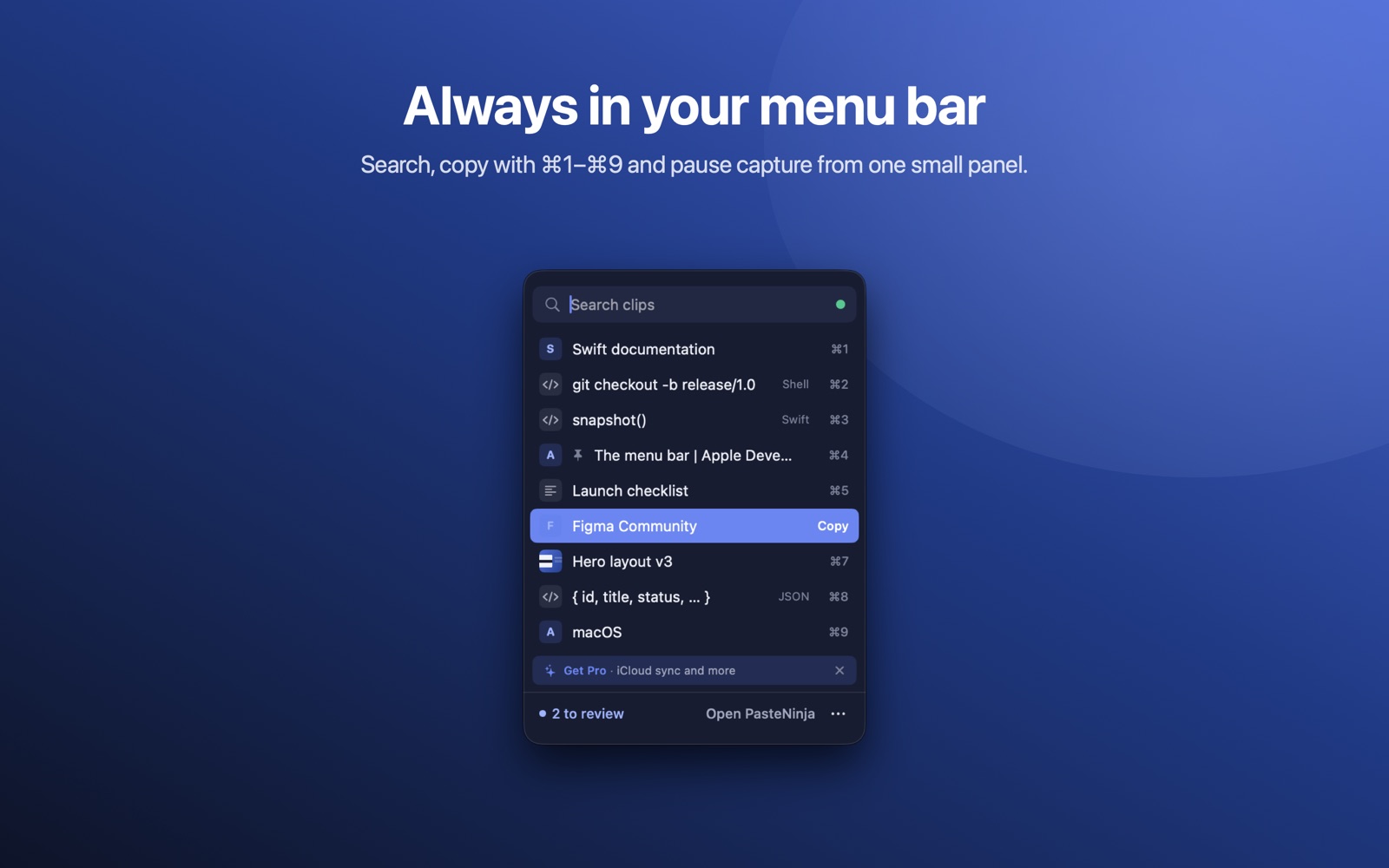
Code from Xcode, VS Code or Terminal is detected with its language and titled by what it declares, like snapshot(). With Pro, turn any snippet into a highlighted image to share.
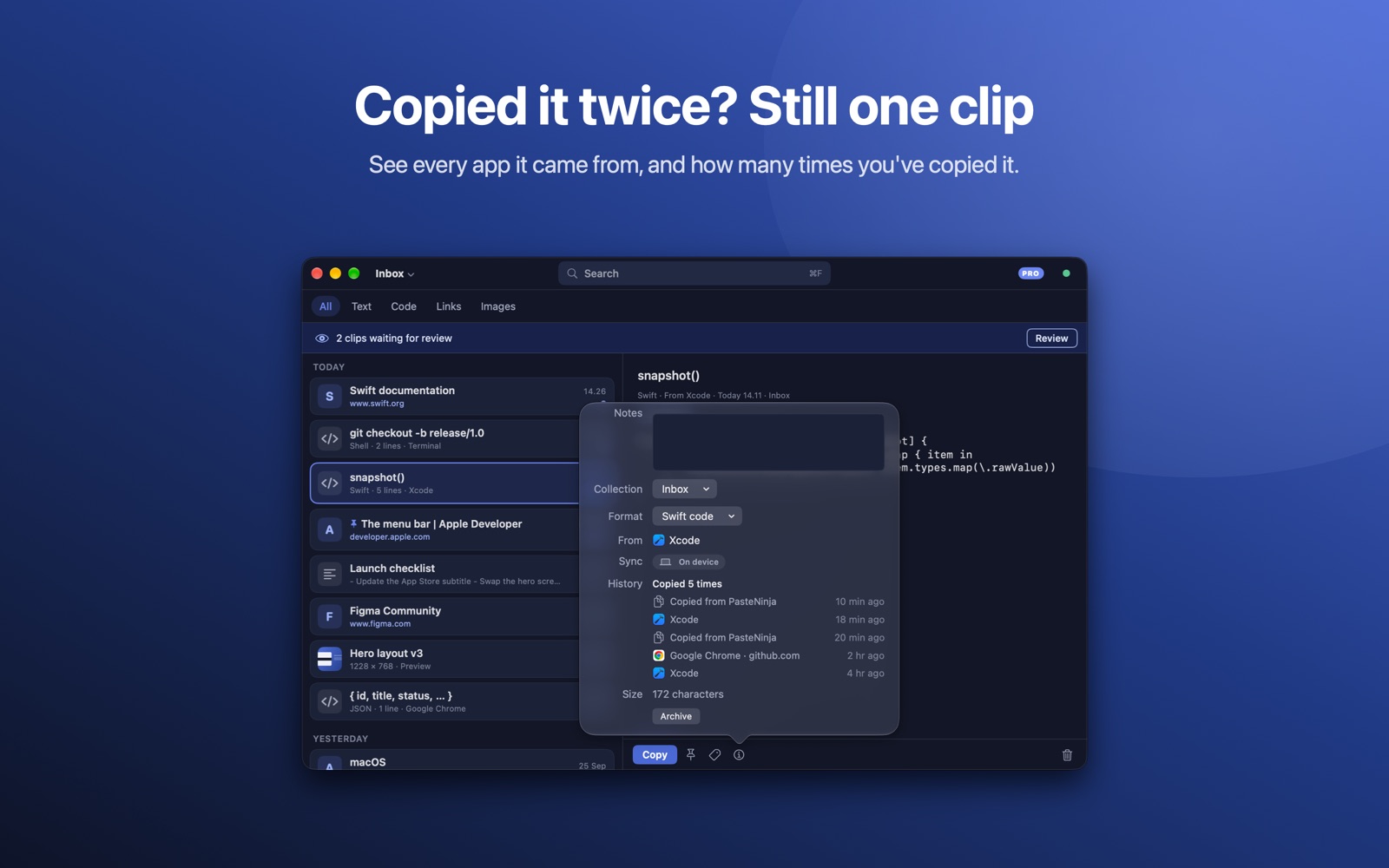
Every clip remembers the app it came from. Copy the same thing again and it stays one clip, with its history.
Search your recent clips and copy one with ⌘1–⌘9, without leaving the app you're in.
Clips stay on your Mac, or in your own private iCloud. No accounts, no ads, no analytics of what you copy. Export everything, any time, for free.
Light and dark mode, drag and drop, and six languages: English, 日本語, Deutsch, Español, 한국어 and 简体中文.
Automatic capture, unlimited history, search, the clip dock, code detection, tags and 3 collections are free. Paste Ninja Pro adds iCloud sync across your Macs, code images, a Most Copied view, automatic backups, unlimited collections, screenshot capture and more global shortcuts.
7-day free trial. Share with your family.
Cancel anytime.
Pay once, keep Pro.
US prices. The App Store shows the price for your country. Get Paste Ninja on the Mac App Store.
 Paste Ninja